Phase 1: a carrier at sea, in your browser
The first build was just the ship: ocean, hull, motion and cameras, with no aircraft yet.
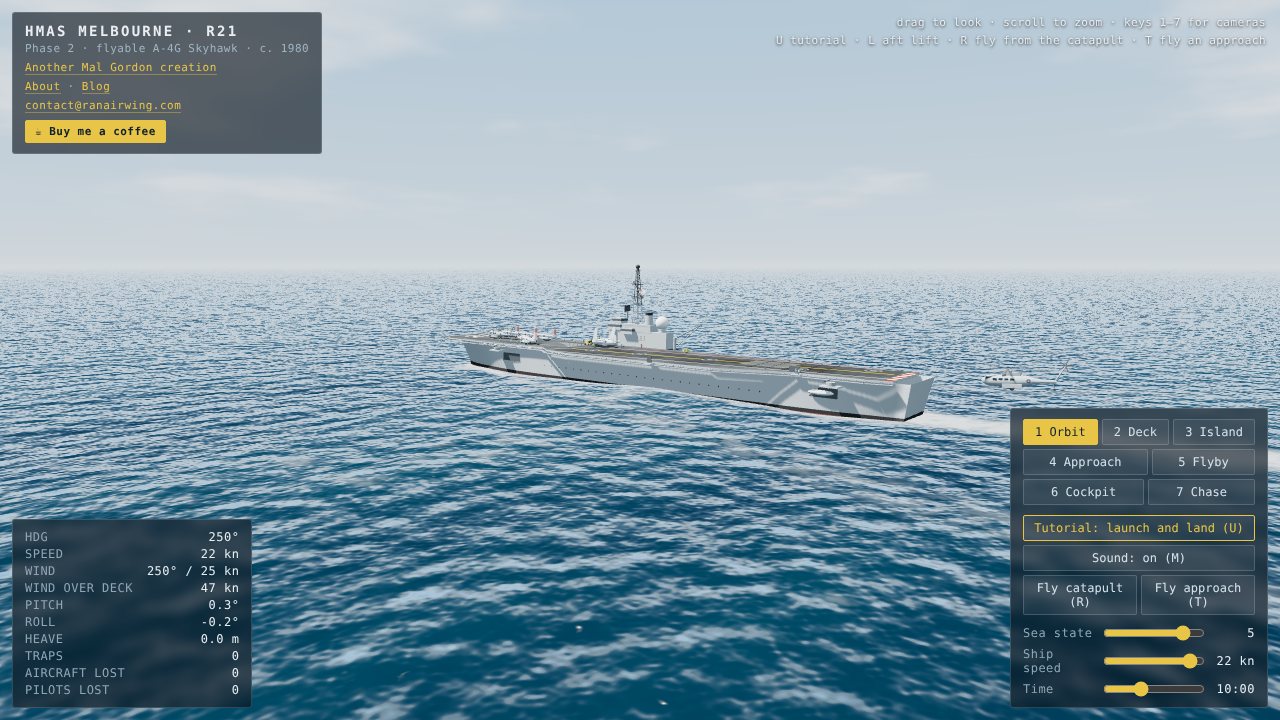
The first version of the sim had no aircraft at all. The goal of Phase 1 was a ship that looked and moved like a carrier at sea, so that everything added later would sit on a deck that felt right.
What Phase 1 contained
- Ocean and sky. An animated swell, horizon haze and a sea-state control from 0 to 6.
- The ship. A model built entirely in code: hull, flight deck, angled deck, island, catapult, arrestor wires, mirror landing aid and deck markings.
- Ship motion. Pitch, roll and heave driven by the waves, plus a wake behind the ship.
- Cameras. Orbit, deck, island, approach and flyby.
- Readouts. Heading, speed, wind, wind over deck, pitch, roll and heave.
The ship steams on a heading of 250 degrees, straight into the wind, which is how a carrier runs flying operations. The next post on wind over deck explains why.
Why start with the ship
A flight sim of a carrier lives or dies on the deck. Wire positions, the mirror, the catapult and the angled deck all have to be in the right places before a landing means anything. Building the ship first also meant it could be checked against reference photographs before any flight code existed. That process is the subject of a later post.
Try it
Open the sim, drag to look around, scroll to zoom, and use the sea-state slider to see how the ship's motion changes. The orbit camera at sea state 5 is a good place to start.