Chase camera: orbit, pan and zoom
The chase camera is no longer fixed behind the Skyhawk. Drag to orbit, shift-drag to pan, scroll to zoom.
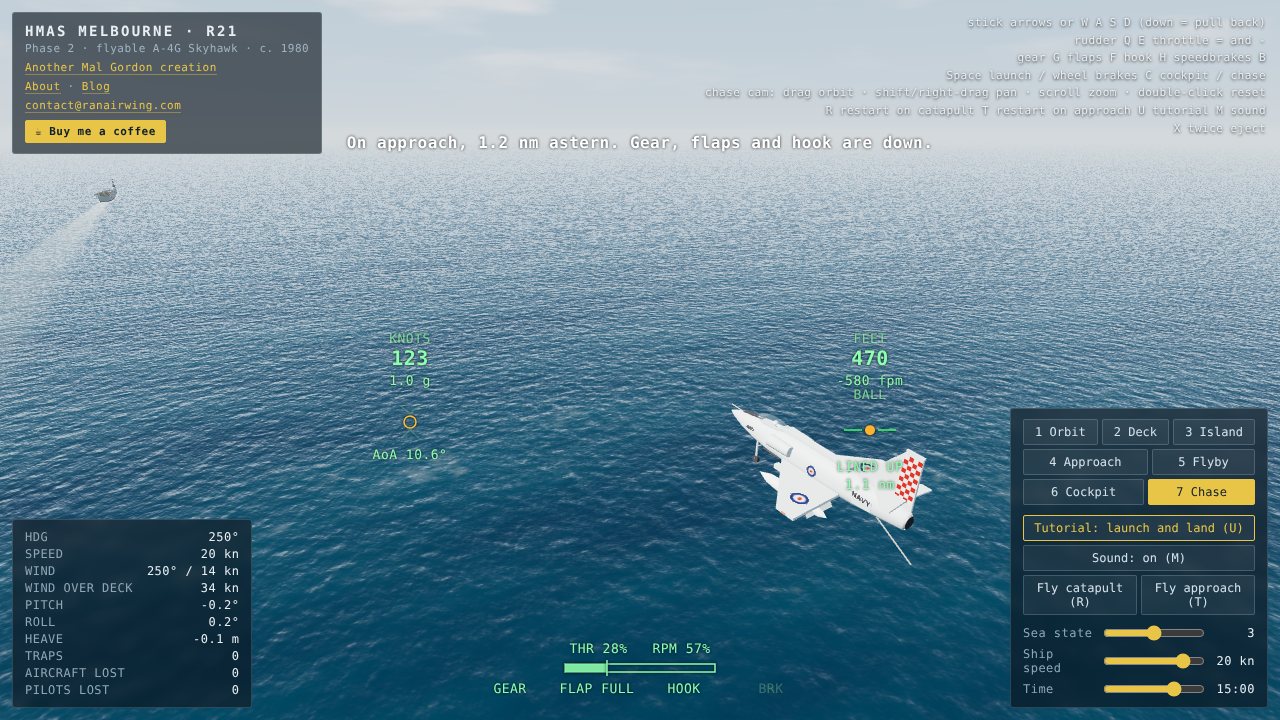
The chase camera used to sit at one spot behind and above the aircraft. You can now move it.
How to use it
Press 7 (or C to switch between chase and cockpit), then:
- Drag to orbit around the aircraft. The orbit is relative to the direction the aircraft is heading, so the view keeps following when you turn.
- Shift-drag, or right-drag, to pan the view sideways and up or down.
- Scroll wheel, or a two-finger pinch on a touch screen, to zoom in and out.
- Double-click to put the camera back behind the aircraft. Re-entering chase mode also resets it.
What is still approximate
Zoom runs from close behind the tail out to a long way back. The camera is kept just above the waves, so orbiting low behind the ship will not take it under the water. The flight controls are on the keyboard, so you can fly while you look around with the mouse.