Catapult launch, step by step
Six steps from the catapult to level flight at 1,000 ft, with the reasons behind each.
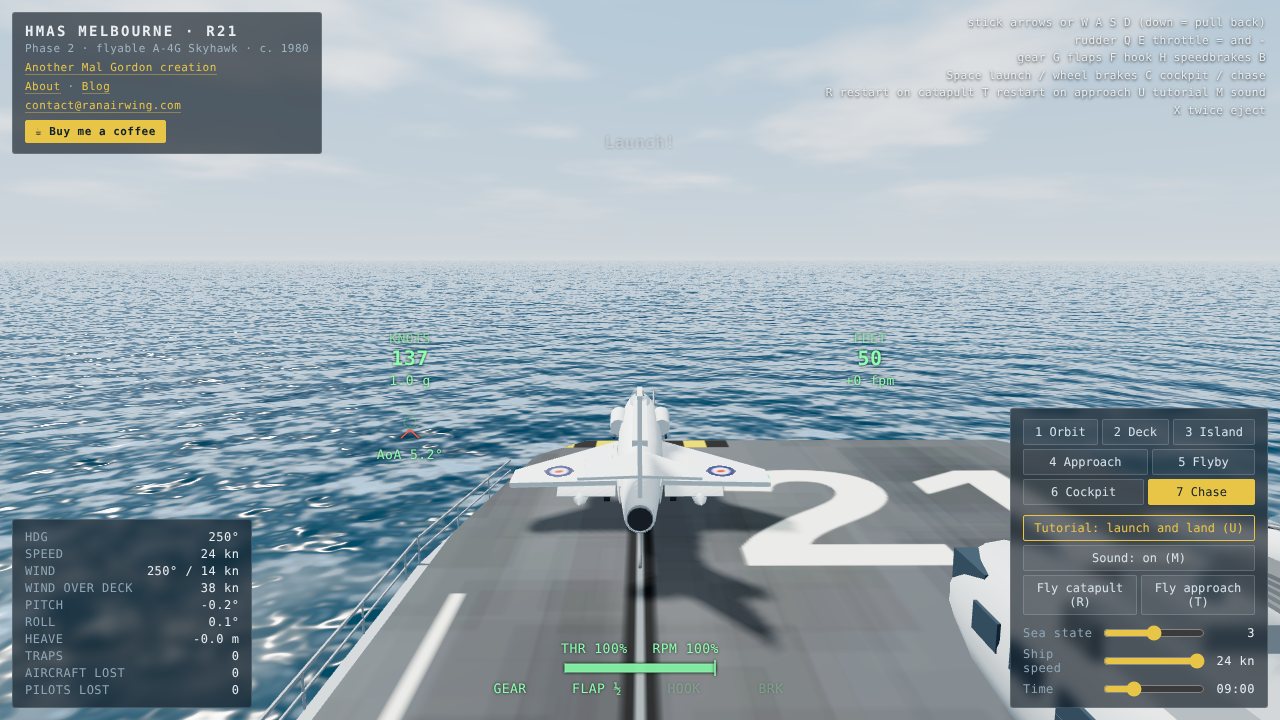
Press R to start on the catapult, or U for the guided version. The aircraft begins in the launch configuration: gear down, flaps half, hook up.
1. Run the engine to 100%
Hold = until RPM reads 100%. If you press Z early, the sim tells you to run up to full power first. The launch is refused until the engine is above about 85%.
2. Launch
Press Z. The catapult stroke is over in under two seconds. Leave the stick alone while it runs.
3. Climb away
Hold ↓ for a second or two. The aircraft holds that climb when you let go.
4. Raise the gear
Press G once you are climbing and clear of the ship.
5. Retract the flaps
Press F until the HUD shows FLAP UP. From half, that is two presses: half, full, up.
6. Level off
Climb to 1,000 ft, tap ↑ to level, and hold - to bring power back to about 40% so you stop accelerating. Level flight means the climb figure under FEET reads near zero.
Why a catapult
A carrier's deck is too short for a jet to take off on its own power. The catapult gives it flying speed in a short run. Wind over deck adds to that speed, which is why the ship turns into the wind: see wind over deck.
If nothing happens
Check that RPM is above 85%. Below that the launch is refused.